Bring your own agent
Claude Code, Codex, Cursor, Antigravity, OpenCode or Hermes — whichever you are signed in to. A step can even use a different one from the step after it, so a personal subscription and a work one can share a workflow.
Local-first · open source · Apache-2.0
chief turns your own agent CLI into a team of workers. Describe the workflow to chief bot and watch it draw the steps, press Run, and answer the questions it stops to ask. It runs on this machine, writes everything to one folder, and talks to nobody unless your agent does.
Prefer the browser? Run it in a browser instead — nothing to install if you have Node. Either way it is free and unsigned; macOS asks once, and that is what the one command clears.
 Claude Code

 Codex
 Cursor
 Antigravity
 OpenCode
 Hermes
Most “AI workflow” tools are a cloud account with your data inside it. chief is a program on your laptop that drives the agent you already pay for.
Claude Code, Codex, Cursor, Antigravity, OpenCode or Hermes — whichever you are signed in to. A step can even use a different one from the step after it, so a personal subscription and a work one can share a workflow.
One server on 127.0.0.1, no login, one SQLite file in ~/.chief. Runs, prompts, results, costs and gate answers stay there. Delete the folder and chief has never heard of you.
No analytics, no crash reporting, no account. The only traffic chief makes on its own is one
request per launch to GitHub, to ask whether a newer version exists — and
CHIEF_NO_UPDATE_CHECK=1 turns even that off. Everything else is what your agent CLI
makes to the service you already use, and what an MCP server does for it.
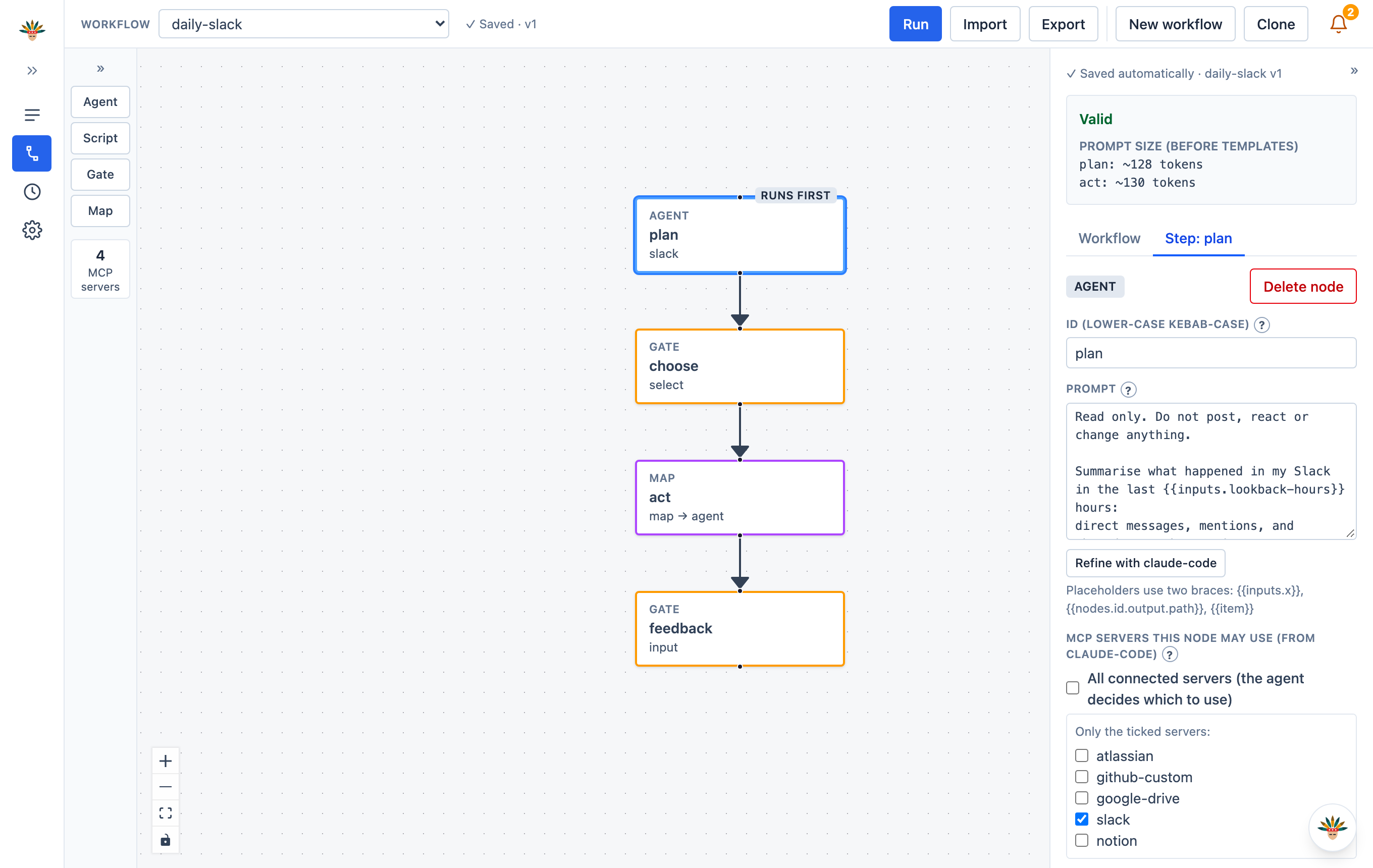
Drag an Agent, a Gate, a Script or a Map onto the canvas and connect them with arrows. Write the prompt in plain words.
chief starts each step as its own agent session, hands it the results of the steps before it, and records every message as it happens.
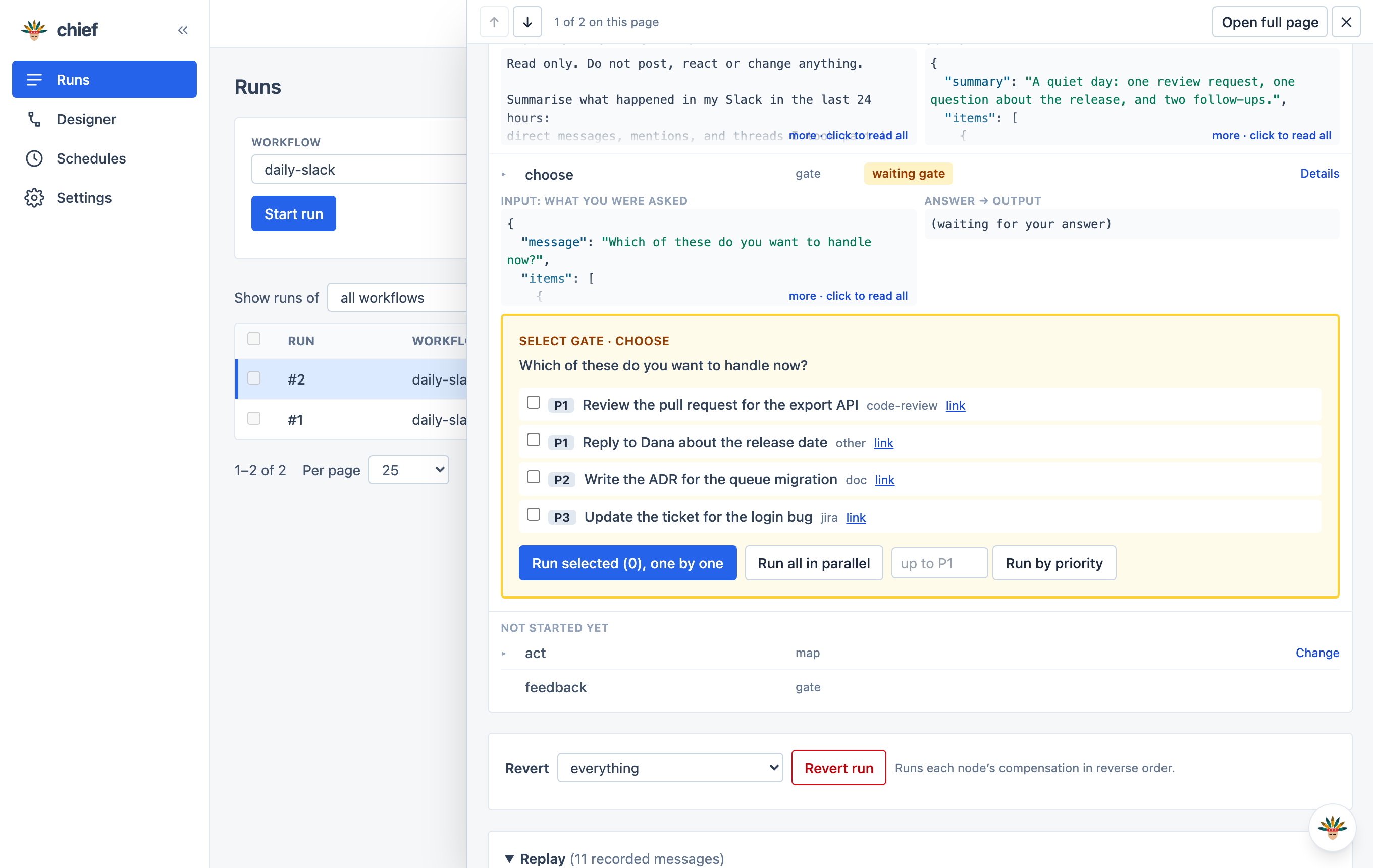
Where you asked for a say, the run waits. A gate shows a form worked out from what the step before found — pick, approve, or type. Then it carries on.
chief bot
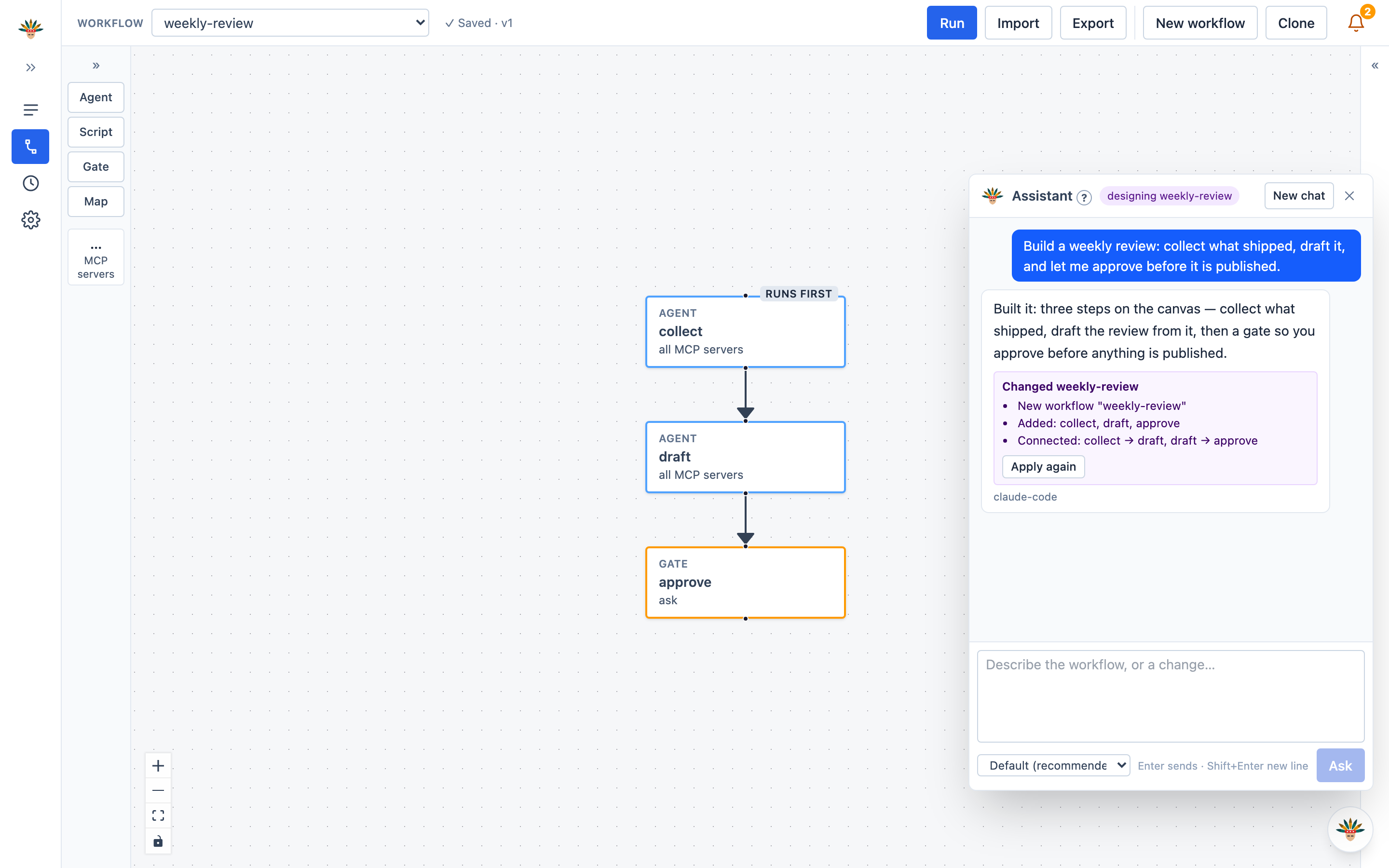
Say what the workflow should do. chief bot answers and builds it: the steps, their prompts and the arrows appear on the canvas as you talk, and when a choice is open it offers a few options you can pick or overrule. No dragging blocks around.
When a run goes wrong, open the run and ask the same bot what happened. It reads that run's own record — every prompt, reply, tool call and error — and tells you the cause and the next move, and can suggest the fix for the step that failed.
It runs nothing and changes nothing during a run: it writes workflows and their schedules before a run and reads records after one. Every change it makes to a workflow is listed under its answer with Undo.
Everything below is in the app and over HTTP; the CLI is the same features for scripts and for when a page is not enough.
Blocks, arrows, a side panel per step. Autosave: what is on the canvas is the workflow the moment it is valid. There is no Save button anywhere.
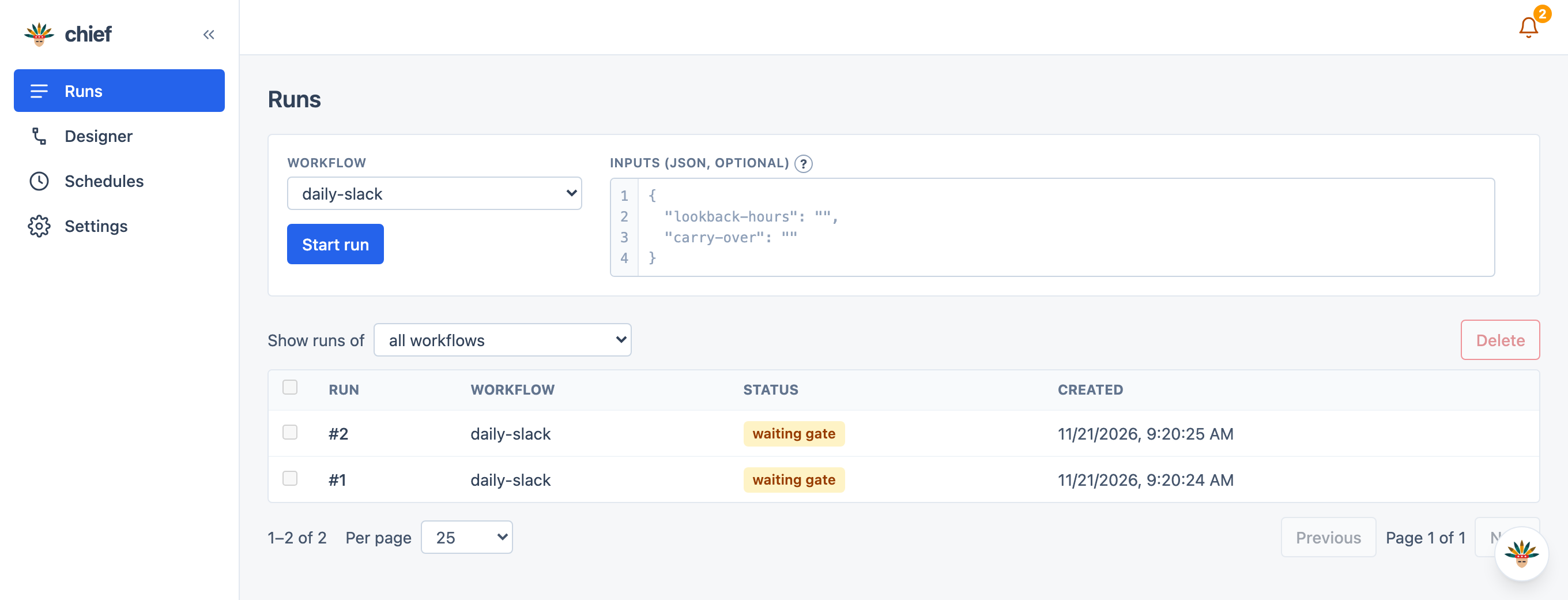
Watch a run on its own diagram, each step coloured by status. Open a step to read the prompt it was given, what it returned.
Describe what you want to be asked; an agent builds the form from the earlier results. Pick several, pick one, approve, or type with options.
Every prompt as sent, every reply, tool call and result, stdin, stdout, exit code, gate answer and error — recorded as it happens, never re-executed.
Cron, with the expression spelled out in words and the next firing shown. Add, disable and remove from a page; they fire while chief runs.
The step's own agent CLI beats the workflow's, which beats the default. A step that chose its own says so on the canvas, so a mixed workflow reads at a glance.
How many tokens each step used, per run totals, and a limit on how much of an earlier result goes into a later prompt — so a prompt cannot grow without end.
Each step reports the side effects it caused, so a run can be reverted in reverse order. Anything irreversible was gated before it happened and is listed for you.
A script step is Python, shell or Node with no network and no writes outside its folder unless you approve it. Protected paths cannot be granted.
Shut the window and the app stays in the Dock: runs finish, schedules fire, gates still notify. Quit asks first if a run is in flight.
Light, Dark or System, and one text scale for the whole app from Small to Extra large. Both are chief's settings, so the window and the browser agree.
Made-up data, a stand-in agent, the real app.
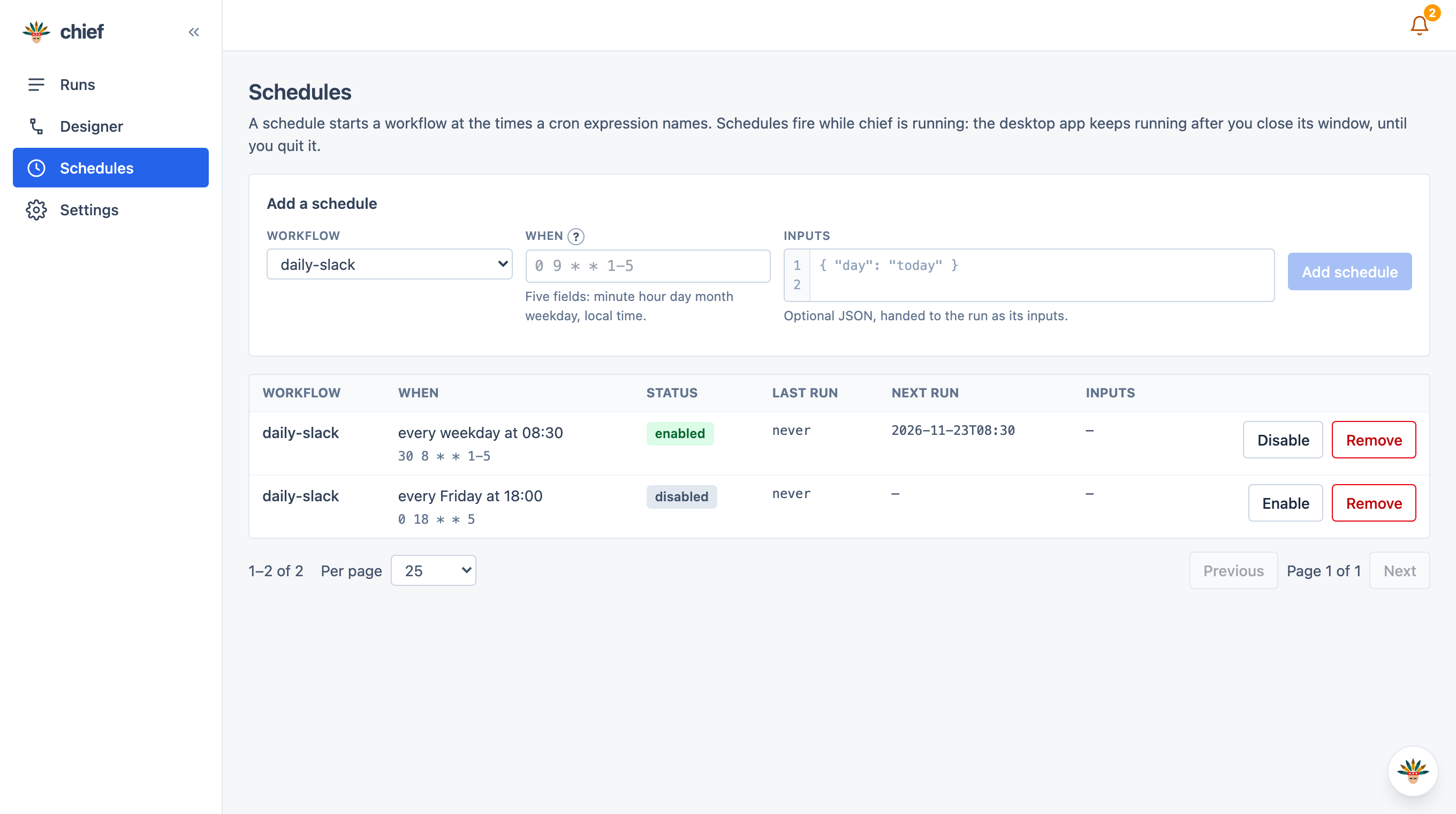
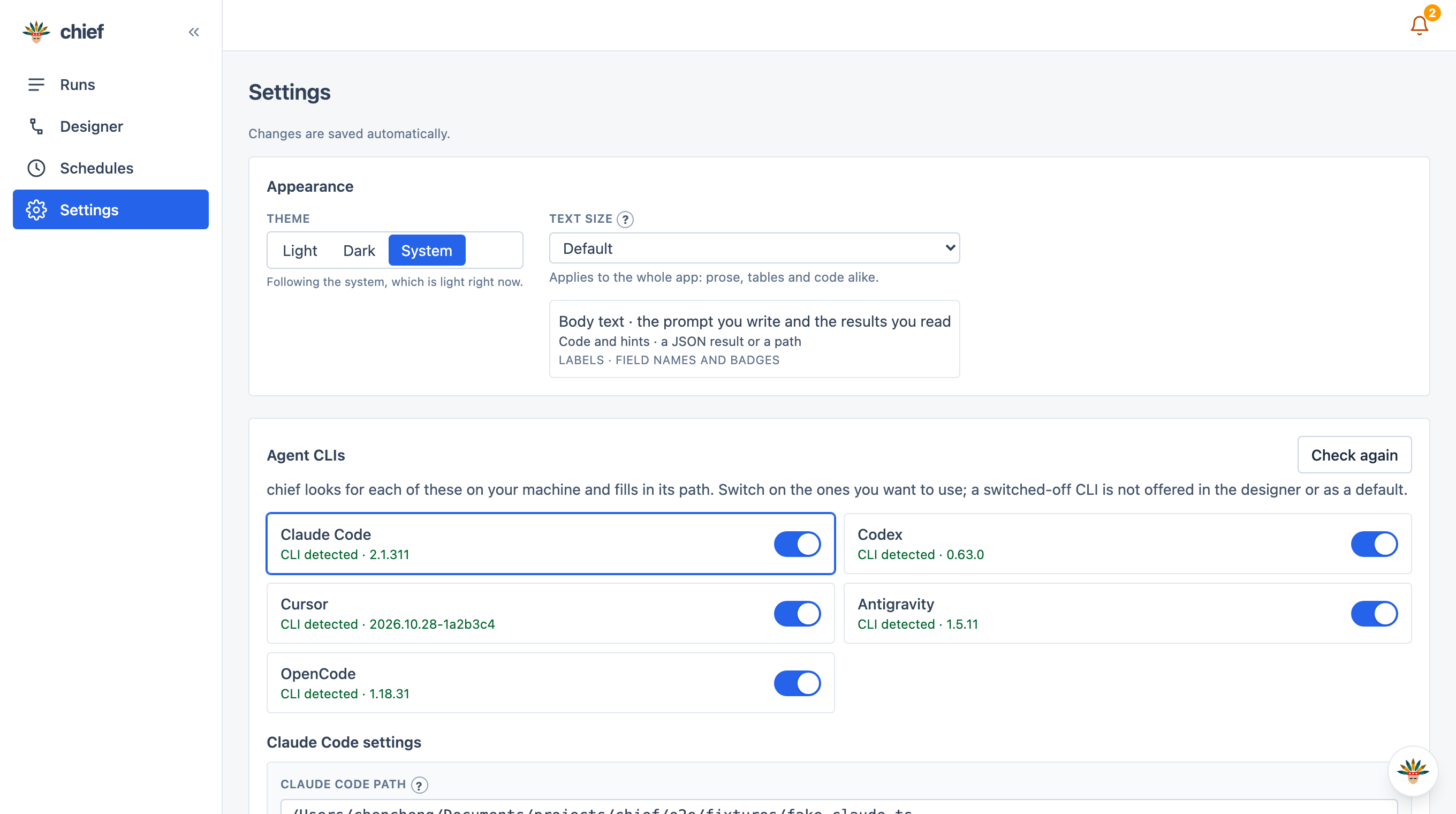
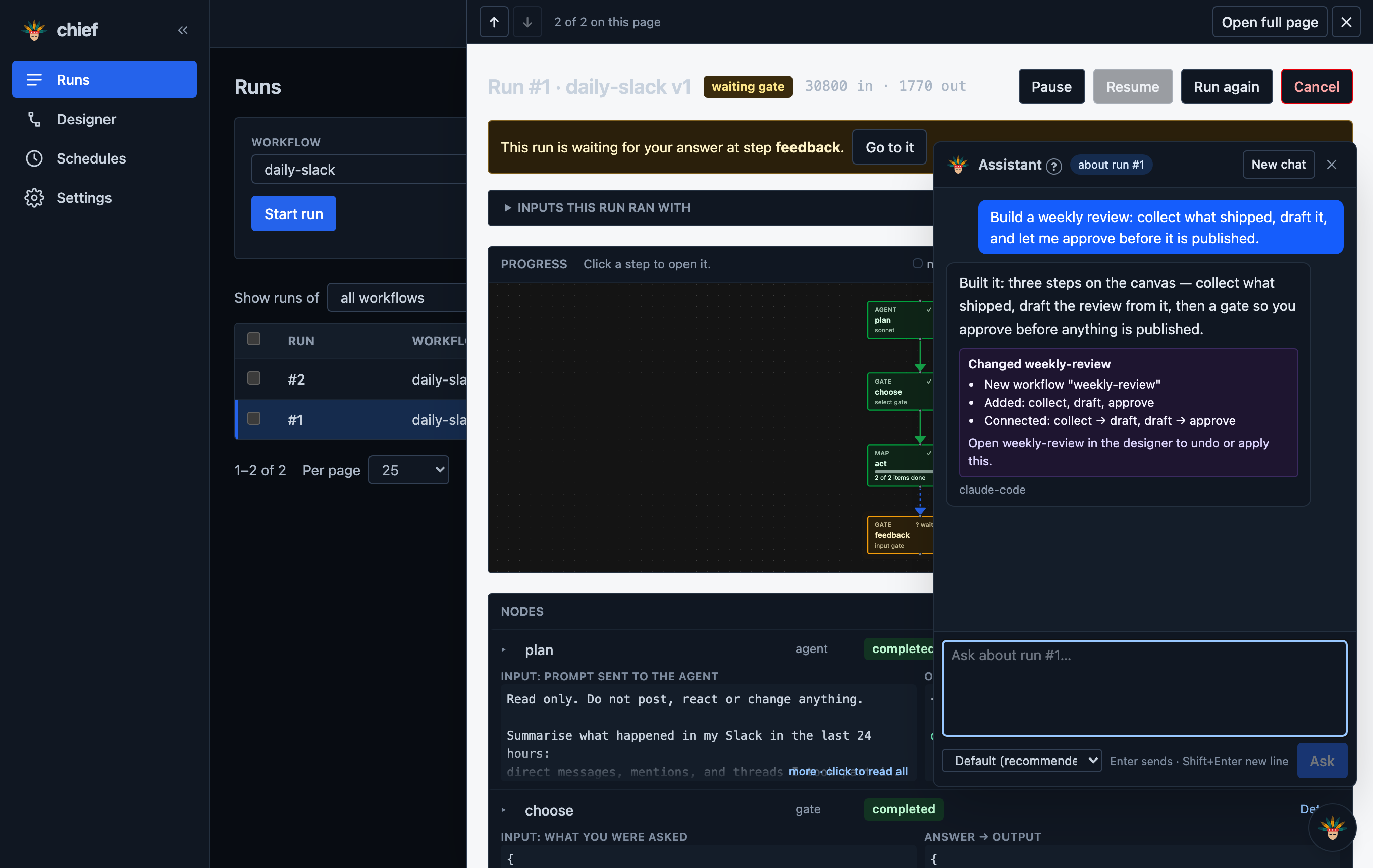
The same engine, the same database in ~/.chief, the same screens. Pick the one that fits the desk you are at.
macOS 13+, Apple silicon
A window of its own. Close the window and it keeps running in the Dock — runs finish, schedules fire, and the bell tells you when a gate is waiting — until you Quit.
xattr -dr com.apple.quarantine /Applications/chief.appAny machine with Node 22.18+
Nothing to install but Node: chief serves the same app on this machine and you open it in a browser. Any computer that can run the agent CLI can run this, and the tab is only a viewer — closing it does not stop a run.
npm cinpm run chief serve127.0.0.1:8080, and opens your browser.
chief serve runs, whatever the browser does.
npm ci && npm run build:desktopchief has no API key of its own and no MCP configuration. Your agent CLI is already signed in; chief just runs it. It never speaks MCP itself and never edits a server list.
The server binds 127.0.0.1 and rejects requests whose Host or Origin is not its own address. No login is needed because nothing is reachable from anywhere else.
No network, writes only in the step's folder and a scratch directory, an allowlist for environment variables, and protected paths (credentials, start-up files, git hooks) that can never be granted.
A step that sends a message or posts a comment is gated before it runs, and a step that reported side effects is never retried automatically.